

1.更新所有软件
sudo apt update
sudo apt upgrade
sudo apt full-upgrade
清理不再需要的残留软件包,并重启系统:
sudo apt --purge autoremove
sudo reboot
2.修改 trixie 软件源
为了以防万一,建议先备份当前的源配置:
mkdir ~/apt
cp /etc/apt/sources.list ~/apt
cp -r /etc/apt/sources.list.d/ ~/apt把所有的bookworm改成trixie
sudo sed -i 's/bookworm/trixie/g' /etc/apt/sources.list
sudo sed -i 's/bookworm/trixie/g' /etc/apt/sources.list.d/*修改完后,/etc/apt/sources.list大概长这样:
deb https://mirrors.tuna.tsinghua.edu.cn/debian/ trixie main contrib non-free non-free-firmware
deb https://mirrors.tuna.tsinghua.edu.cn/debian/ trixie-updates main contrib non-free non-free-firmware
deb https://mirrors.tuna.tsinghua.edu.cn/debian/ trixie-backports main contrib non-free non-free-firmware
deb https://mirrors.tuna.tsinghua.edu.cn/debian-security/ trixie-security main contrib non-free non-free-firmware
3.执行初步的最小化升级
先更新一次软件源列表
sudo apt update执行最小化升级命令
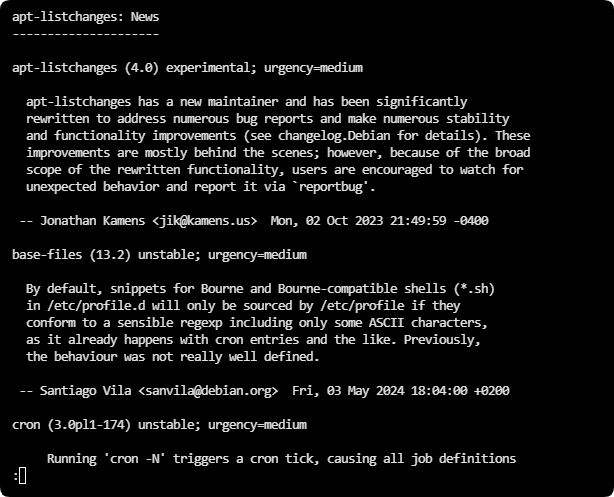
sudo apt upgrade --without-new-pkgs升级时可能会弹出一些重要信息,阅读后按q退出,并继续升级。
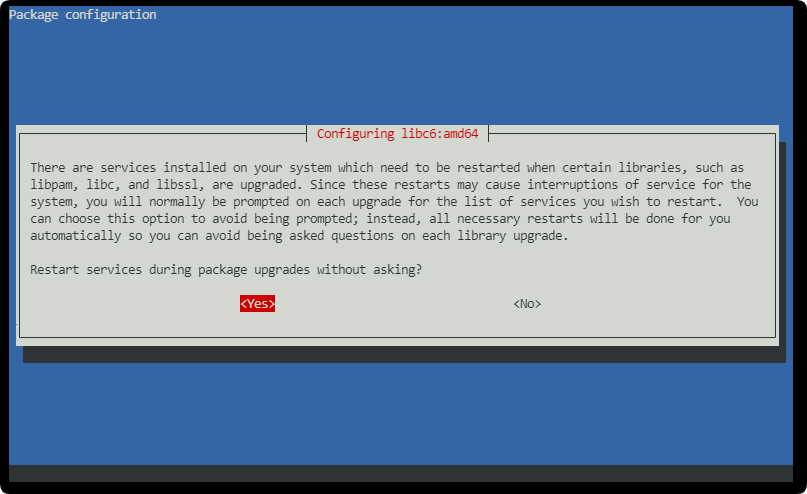
如果提示是否允许升级时自动重启服务,选择「Yes」后回车
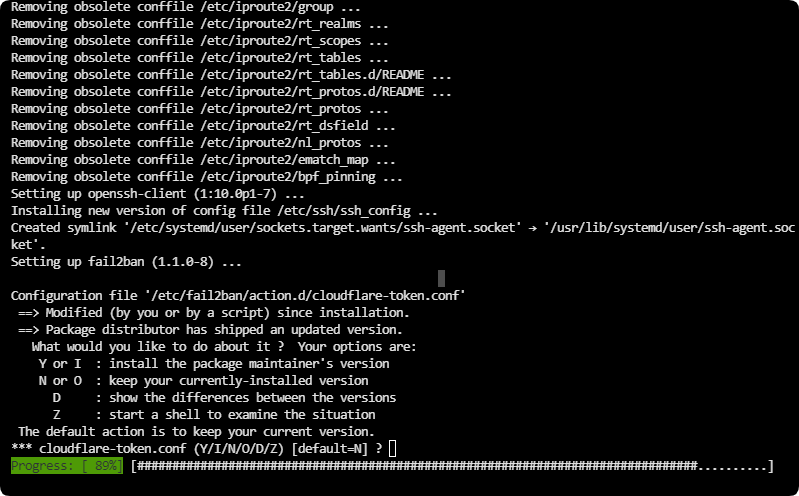
如果问你「手动改过的配置文件要怎么处理」,不确定的话,就直接「回车」用默认选项,这通常是安全的。
4.正式升级到 Debian 13
最小化升级完成后,执行完整升级:
sudo apt full-upgrade升级完成后重启系统:
sudo reboot5.升级后的清理工作
清理不需要的包和缓存
sudo apt --purge autoremovesudo apt autoclean